
Required fields - DiVA - cheat sheet for students
Quick reference guide for students - publish and archive
student theses/degree projects in DiVA.
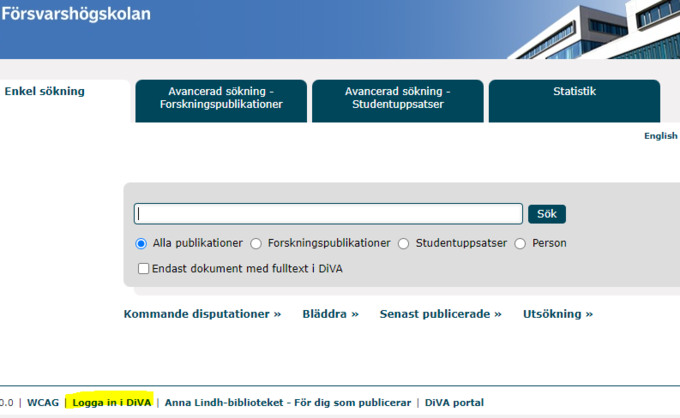
1. Log in to DiVA. Use FHS account (stuXXXX@student.fhs.se) with password. Fields with red marks are always mandatory to fill in. Additional fields may be required depending on the degree programme/course.
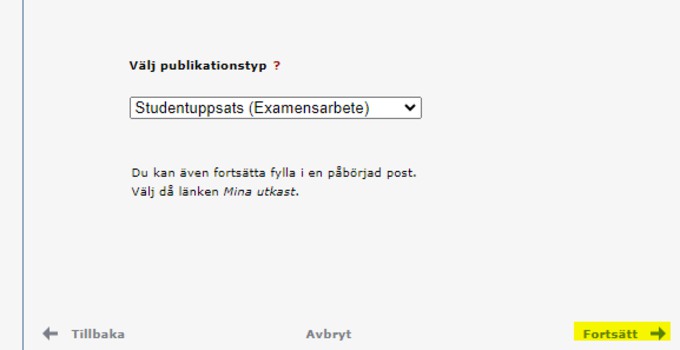
2. Select publication type, Student thesis (Degree project) is preselected. Click Continue.
You can always save your registration as a draft by clicking on "Cancel/Save" draft and selecting "Save draft".
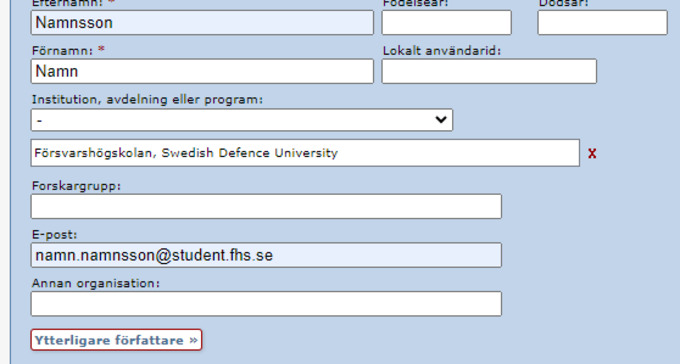
3. Author, surname, first name.
Department, always choose the Swedish Defence University.
E-mail, optional is only used for confirmation of publication (Also goes with a private e-mail address).
Additional authors, please add if there is more than one.
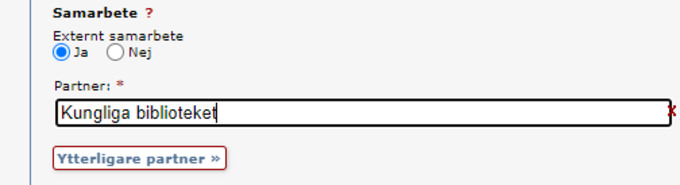
4. External cooperation, Leave blank if no cooperation has taken place. Press Yes and fill in the name of the external collaborator if this was the case.
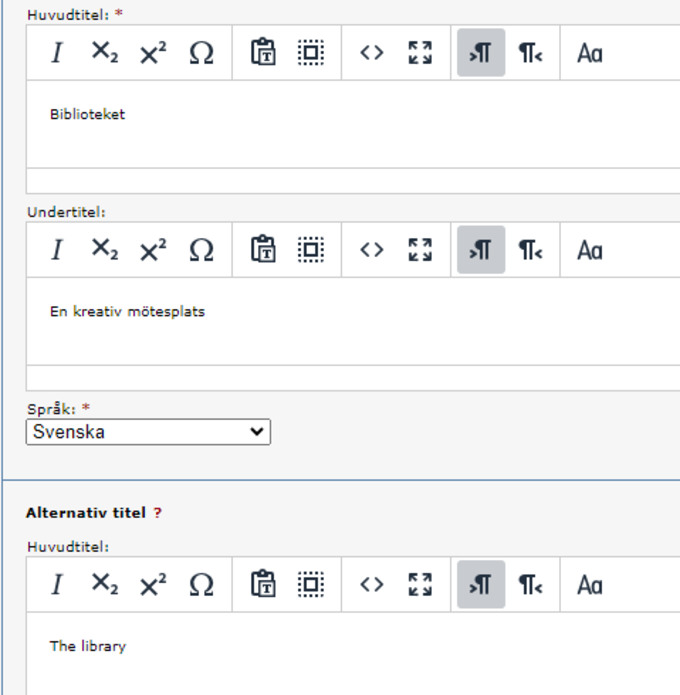
5. Title, main title and subtitle plus essay language. Add any alternate title, otherwise leave blank. Avoid bold and italics, no period in the title.
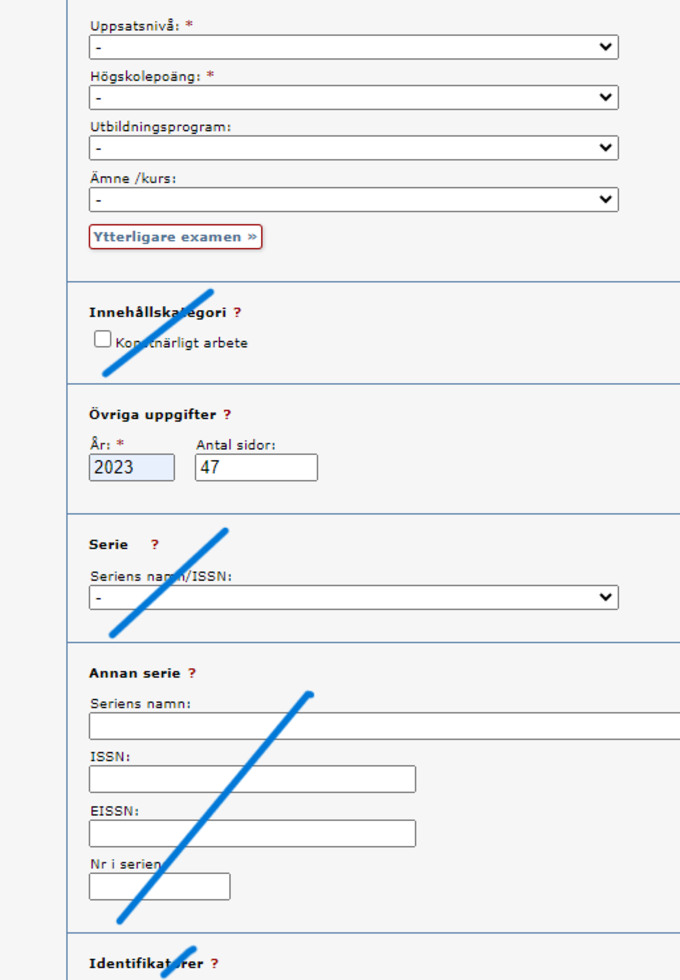
6. Exam, choose from the lists. Some are mandatory, please choose as far as possible.
Thesis level (compulsory).
Higher education credits (15 credits or 30 credits, i.e. the credits of the thesis, compulsory)
Training program (select if possible).
Subject/course (Choose if possible).
Content category, leave blank.
Year and number of pages, write year and fill in according to the last numbered page.
Series/other series, leave empty.
Identifiers, leave blank.
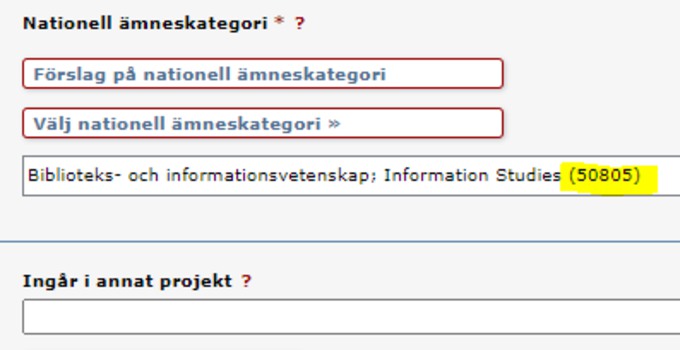
7. National subject category, select at least one or more from the list to describe the content of the essay. Try with such a detailed level of at least three digits, e.g. political science (506) or as the example below with more digits.
If part of another project, fill in if this was the case otherwise leave empty.
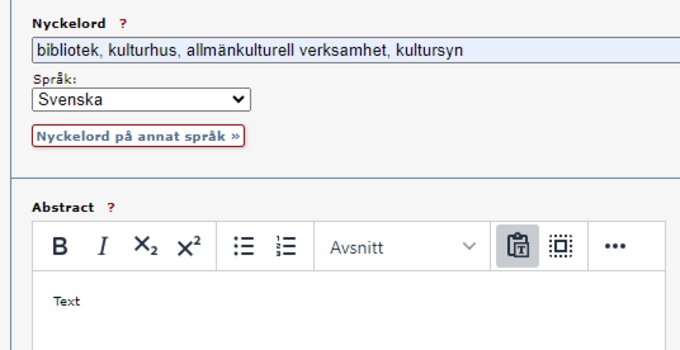
8. Keywords, enter keywords. This makes it easier to make the essay searchable. Select one or more languages, one language per field.
Abstract/Summary, write or paste abstract, specify language. Add additional abstracts in another language if desired. Be aware that spaces and the like can be changed when pasted text.
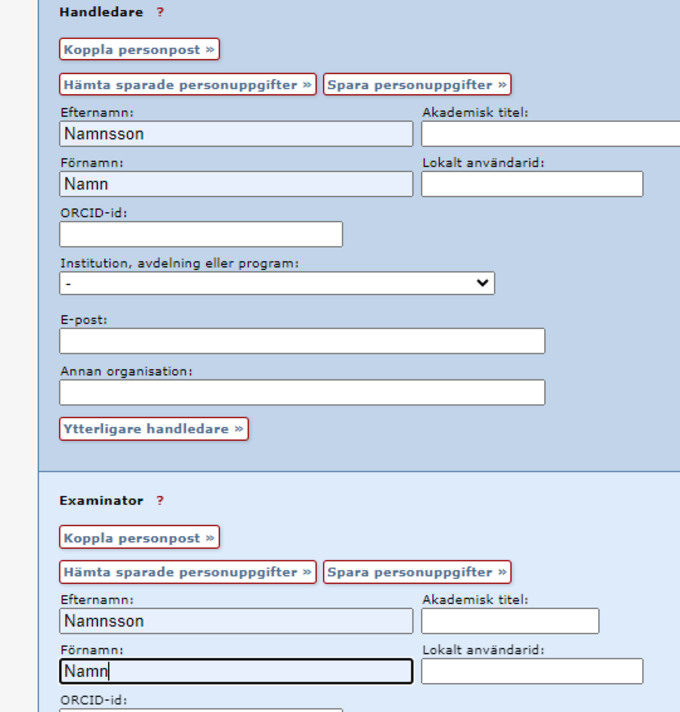
9. Supervisor and examiner, fill in only name and surname.
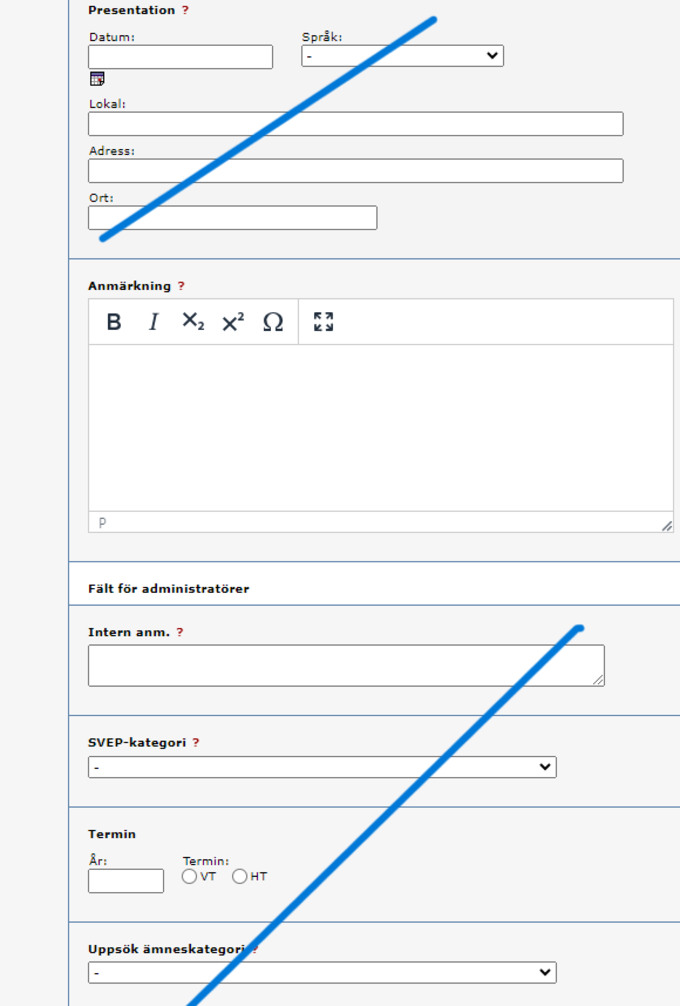
10. Presentation, leave blank.
Note, not needed.
Fields for administrators, leave blank.
Tap Continue.
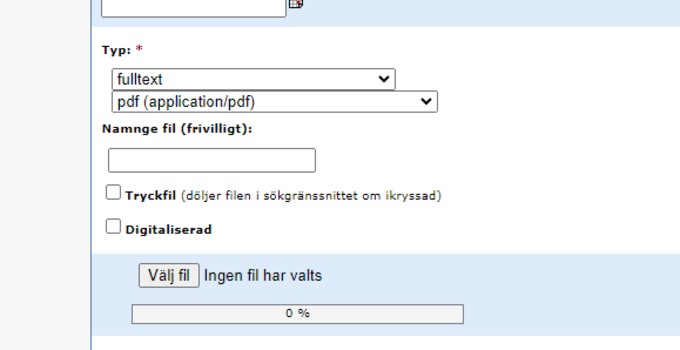
11. Upload of file, choose whether your thesis should be made available immediately, on a given date or if it should only be archived (i.e. not visible to the outside).
Type, choose full text and pdf.
Naming file, looks better without a name. Skip.
Choose file, and upload.
Tap Continue.
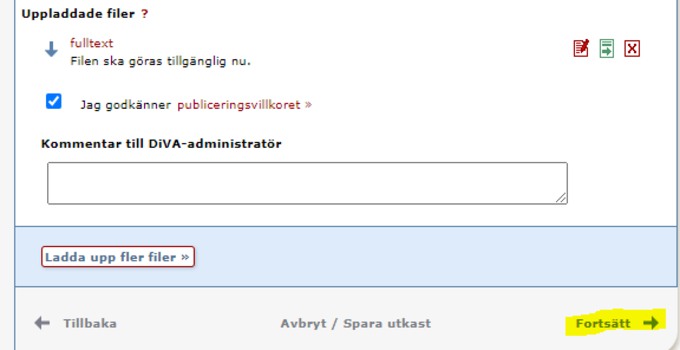
12. Accept the terms of publication, read the terms of publication and approve if you have chosen to upload a file.
Tap Continue.
13. Review/Publish, check that all information is correct, in case of change go either via "Change information" or "Back".
Submit.
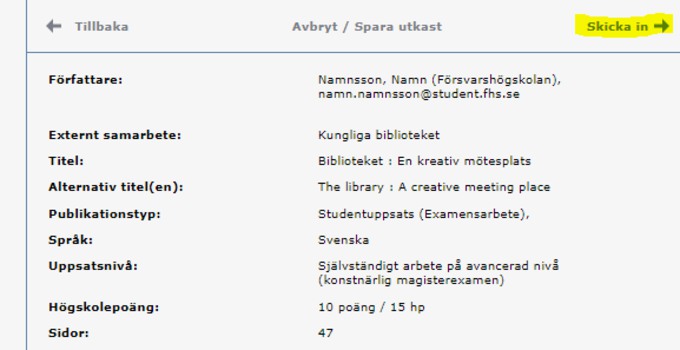
14. Once you have submitted, the information is reviewed by the library before the thesis/degree project is published, therefore it is not visible immediately after registration. When the thesis is published, you can find it via DiVA and search services such as Google. If you have specified an e-mail address, you will receive a confirmation when the thesis/degree project has been registered and then another when the thesis/degree project has been published/archived.