
Searching
Searching for academic information can be difficult and time-consuming, but also creative and fun. On this page, we offer a general search guide that can help you navigate the library's vast resources.

Are you looking for your course literature?
Here we have gathered information such as how to search for your course literature in Primo and how to find available literature in the library.
How to search?
Start by searching in Primo (the library's search box) by title, author or subject area.
In your list of literature, it might look like the following for a course book:
Bell, J. & Nilsson, B. (2006) Introduction to Research Methodology. 4. Lund: Studentlitteratur.
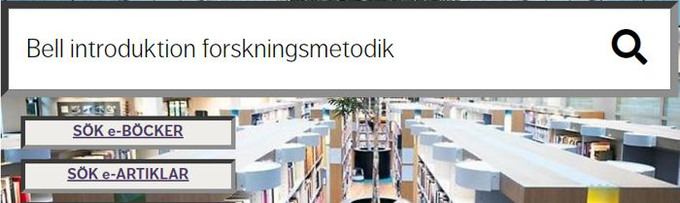
Picture 1. Primo search field, the library's search service
Shelf placement and access
You can see the availability of physical books by scrolling down to the subheading Placements. There you can see where the book is located, as well as its shelf location (001.8).

Picture 2. Interface in Primo when your book is available in the main library and Karlberg
Articles or ebooks in full text can be accessed directly via the link "Available online" when you are connected to WiFi (Eudoram) at the Swedish Defence University.
Remotely, it is important that you are logged in as a student or employee.
Find your course literature
Anna Lindh Library search guide (complete)
Here you can read more about how you can prepare your academic information searching, for example, to prepare a student paper or writing assignment.
.jpg)
Step 1 - Research question
A research question is a specific and clear question that guides your information search.
A good research question helps to delimit the topic and focuses on what is to be investigated or discussed. For instance:
"How do cyber threats affect national security in Sweden?"
Advice:
- At the beginning of a writing process, you often need to read up on a topic, get to know common theories and important authors. This will help you formulate a good research question.
- Key debates on a topic may be identified in leading scientific journals. Identify these journals by talking to a teacher, researcher or librarian, or search on your own,
- Also use encyclopedias and textbooks with titles such as "Introduction to crisis management", also search in encyclopedias such as the National Encyclopedia or just try out different terms in the library's search box Primo.
- Think about what kind of publications you need for your writing assignment.
Step 2 - Keywords
When searching for information on the library, it is important to reflect on the choice of keywords.
Before you start searching, you should break down your research question into different key terms (keywords). You will reconsider them afterwards based on new experiences.
Research question:
- How does a leader's physical presence affect effectiveness during a crisis?
- In what ways does a leader's physical presence influence crisis management efficiency?
Keywords: Physical prescence, leader, leadership crisis, physical presence, effectiveness, crisis management, emergencies, team performance, leader visibility, crisis outcomes, crisis response.
Advice:
- Use English keywords. Because scientific research is predominantly published in English.
- In Primo and in Libris you can search for the thesaurus Swedish subject words (SAO), which is a good database for finding terms that you can then translate into English.
- Try using natural language in Primo research assistant. Instead of specific keywords, try asking questions in whole sentences, such as "How does information warfare affect Swedish society in the present? "
- Find synonyms and similar concepts – think both broadly and more specifically.
Example:
"Information warfare" = Comprehensive concept
"Naval Information Assurance for Network" = More Specifically
- It can also be a good idea to search for the key terms in publications you have already found.
- Write down/cross out important terms you find in your own glossary.
- When you have searched for a book/article in Primo, you can find related subject headings in the post description.
- Generative AI (Copilot, Chat GPT, Perplexity) can work well for generating keywords.
For example, you can use the prompt:
"Generate 20 searchable terms and synonyms in English for the topic: military intelligence in the Baltic Sea".
Then try the search terms in the library's search box Primo.
Step 3 - Searching for sources
Finding information is about searching both broadly and specifically based on your needs.
.jpg)
Using the "right" sources is important to ensure that the information is legitimate to use, for example for a seminar, project work or essay writing.
The publication of scientific information varies between different subject areas. In technology and the natural sciences, for example, the publication of new research dominates in scientific articles, while the social sciences are often published in book form.
In the humanities and social sciences, the terms primary, secondary and tertiary sources are often used. A text can often serve as both a primary and secondary source, depending on the context.
Think about and investigate what types of sources may be relevant to you
Primary sources: Original works, often publications in text form, but can also consist of literature, film, music and historical documents (letters, maps, manuscripts), as well as collected empirical data (interviews, observations, statistics).
Secondary sources: Often texts (in academia) that analyse or describe primary sources, such as scientific articles, dissertations, textbooks and popular science articles. These are useful when original works are difficult to understand or when exploring a new subject area.
Tertiary sources: Consist of summary sources based on primary and secondary sources, such as biographies, dictionaries, and databases.
What is previous research in a student paper?
- The chapter "Previous research" aims to map your research question and identify potential knowledge gaps: What do we know? Why is this worth studying?
- In a thesis, the chapter "Previous research" usually contains secondary sources such as scientific articles or literature reviews.
What is the empirical data in my student paper?
- Survey material (empirical data) is often referred to as primary data, and is data that the researcher or student chooses to collect and study. Most commonly, survey material is based on interviews, observations, experiments or documents.
- Empirical data in your essay can thus consist of, for example , interviews, surveys, experiments, field studies, but can also consist of documents or media such as film, audio, daily press, public print or scientific articles.
Primo is a good search service to start searching for sources. From there, you can create an overview of the subject area.
- When you do searches in Primo, you will also get tips on what other databases you can search in.
- You can easily perform a search in Primo by entering one or more words in the search box. For example, title name, the author or any subject word.
- In Primo, you can select advanced search as an aid if you want to refine your search. You can also refine your search by using the filters in the right-hand margin. Limitations can be made to, for example, publication type, publication date, subject headings and language.
To find scientific texts (Peer reviwed), you can, for example, limit the hit list to "scientific journals".
The library has access to many subject databases and it can sometimes be difficult to choose the right one.
In the database list you will find all the databases we have access to. There you can filter by subject area or type of content.
In one database, you will find articles from several journals. There are general and subject-specific databases. Most databases are subscription services that you only have access to as a student and employee at the Swedish Defence University.
You also have access to our databases remotely. To get this access, you must always enter through the library's website when you make your searches.
Google Scholar is a comprehensive search service focused on finding academic material on the web.
Here you will find articles, books, dissertations, reports and much more. However, there is a lack of opportunities to delimit the hit list, so more self-examination and reflection is required to determine whether a text is scientific or not.
Hint! In Google scholar settings, click on library links and select Anna Lindh Library. This makes it easier to find links to library resources in Schoolar.
The Anna Lindh Library's electronic journals can be accessed via the user-friendly journal portal BrowZine and contain over 18,000 different publications.
There are features in BrowZine that can be useful for those who want to follow certain journals and not miss any issues and to be able to save articles for later reading, "My Bookshelf" and "My Articles", which can be accessed via the menu inside BrowZine. BrowZine also provides suggestions for journals with related or within the same subject areas as your chosen journals in "My Bookshelf".
To use these features, you need to register as a BrowZine user.
BrowZine links in Primo: When you search in our search service Primo and get a hit on articles that are in the library's electronic journals, there are also links directly to the journal via BrowZine. The image below shows a link to the article in PDF format ("Download PDF") and a link to the journal's other content ("View Issue Contents"). The right link is the link to the article outside of BrowZine.
Libris, DIVA and Swepub are useful databases when searching for Swedish publications and research.
Libris is Sweden's national catalogue with information on books, but also articles and e-books, at Swedish college and university libraries, research libraries and a few public libraries.
Libris is a free resource with some material in full text. Otherwise, you can see which libraries have access to the material. Is the book available outside the municipality of Stockholm? Feel free to write an email to alb@fhs.se if you want us to interlibrary loan a book for you.
DiVA (Digital Scientific Archive) is a Swedish academic database that is used to search and store research publications, student theses and dissertations from Swedish researchers, universities and colleges.
Swedish researchers are not obliged to publish their work in DiVA, but it is an important part of making Swedish research visible and disseminating, as well as facilitating future follow-up and reporting by higher education institutions.
Swepub provides an overview of research published by Swedish researchers, including scientific articles, conference papers, reports and dissertations. The service covers all subject areas and also contains metadata on artistic works and datasets.
Swepub is for everyone interested in Swedish research publications and offers tools for analysis and quality assurance, adapted to different needs and target groups.
AI, or artificial intelligence, can complement your information search. Here are suggestions for useful services that can be used as support:
To constantly think about
It is always important to reflect on the use of AI tools in your studies. Here are some questions that you should constantly think about:
- Without source references, it is difficult to determine what is an hallucination or not?
- Who are the Company/Institutions behind the technology? Can we trust them?
- What does the AI model's training data consist of?
- What data should I feed into the AI conversation? Does the use violate copyright, confidentiality, etc.?
Artificial Intelligence, Security, Defence and Library Guides at European Commission Library
At the Anna Lindh Library, we are always open to discussing AI and information retrieval, so we can learn together.
Step 4 - Search technique and strategy
Do you get many or too few results in the results list? By refining your search technique and strategy, you can search more efficiently for scientific texts.
Searching for academic information is an iterative process, constantly testing different search techniques and strategies for finding information.
Common strategies
- Search with keywords: Means searching unconditionally and trying out different keywords and combinations in relevant databases.
- Search directly in a specific scientific journal. For example, you can use the journal portal Browzine or Primo.
- Search the reference list. Check the references in the literature you have found, and consider whether there is any literature that you should take a closer look at.
- Citation search shows the extent to which the literature you have found has influenced other texts and also which sources your author has based his or her reasoning on. You can use the «cited by» feature in databases such as Web of Science and Google Scholar.
- Search with natural language. To make searches more intuitive, you can use natural language in the Primo research assistant tool. Instead of specific keywords, try asking questions in full sentences: "How does information warfare affect Swedish society in the present?".
- Try different search techniques: See the information in the boxes below.
Put quotation marks around the phrase you're looking for, such as "hybrid warfare." Then you get hits where the word hybrid comes directly before the word warfare. It is then easier to search for coherent terms or whole sentences.
By using a truncation character, often an asterisk*, you can get hits on several variations of a word at the same time. For example, terror* hits the words: terror, terrorists, terrorism, and so on. Sometimes truncation can also be used inside or before a word.
Parentheses can be used to determine the order in which the search should be performed. What is written in parentheses will then be performed first. For example: Norway AND (military OR defence).
With the help of Boolean operators such as AND/OR/NOT , you can further control your search in many databases and search tools:
- Sweden AND Warfare – both words must be included. (But AND usually does not need to be printed, it happens automatically).
- Warfare OR Military – one or both of the words must be included.
- Arctic NOT Geography – the word arctic must be included but hits with geography are removed.
Sweden AND Warfare = Narrower search
(Sweden OR Norway) AND Warfare = Broader Search
Sweden AND Warfare NOT Norway = Narrower search
In many databases and search tools, it is possible to refine your search by going to "advanced search" (or Extended search).
Search strings: In the "advanced search" feature, the web interface makes it easier to use multiple search techniques at the same time, which means that it becomes easier to create a search string consisting of, for example, phrase search, parentheses and boolean operators.
Example of a search string:
(armored vehicles OR "air surveillance") AND ("leader" OR "training programs")
Another useful feature of "advanced search" is to control where your words should search in the text, for example in title, abstract or subject heading. This will give you fewer and more relevant results than if you search the entire text.
Tip! Also try using the delimitations/filters in the library's search box Primo.
Step 5 - Evaluate the search
Feeling satisfied with your search? Or are you stuck and can't move on? Here are a few things to keep in mind.
An overly long list of search results indicates that your research question is too broad and needs to be more specific. In some cases, you may need to adjust your search technique or keywords to better match your topic or question.
Take another moment to reflect on whether you are using the right keywords. Break down your topic into as many terms as possible.
Write down important concepts and keywords you find in a separate glossary.
Research and publishing practices vary greatly across different subject areas. Reconsider where you need to search to find the right type of sources.
Remember to use relevant filters while searching. However, be aware that applying filters may cause you to miss out on central information.
You can, for example, limit your search to:
- Scholarly journals ("peer reviewed")
- Type of publication (book, article, or thesis)
- Year of publication (research from the last 10 years?)
- Language (research is predominantly published in English)
- Availability (such as full text)
You should then evaluate the quality and relevance of the publications you find in relation to your research question.
It can be difficult to know when you’ve found enough information to start writing.
Usually, the writing process and information searching happen sporadically until the thesis is complete. Remember to take breaks now and then to reflect on what you’ve done so far. Do you need to include new sources in your reasoning, or is the information sufficient?
Maintain a reflective approach to your searching. Document how you’ve searched and bring up any questions with your teacher if you’re unsure. For example, if you’re uncertain whether it’s appropriate to use a particular publication as a source, discuss it with your teacher.